Date Difference Calculator - Days Between Two Dates
Find the exact duration between any two calendar dates in total days, broken down into completed years, months, and weeks.
🔒 Secure Calculation: Fast and private with zero data stored.
How to Use
- Pick a start date and an end date in the boxes above, or click "Sample" or "Today" to fill in dates quickly.
- Click the swap button (⇄) to reverse both dates, or check "Include end day" to count both the start and end dates in full.
- Read the total days and year-month-day breakdown, along with weeks, working days, weekend days, hours, minutes, and seconds.
- Use "Copy" or "Download" to save the full duration details, or click "Copy Link" to share your calculation URL.
Options Explained
- Include end day: Adds one extra calendar day (+1) to the total so both the start date and the end date are counted in full (useful for rental periods, leave requests, and project schedules).
Key Features
- Instant duration calculation between two dates in total days as well as completed years, months, and days.
- Automatic separation of business working days (Monday–Friday) from weekend days (Saturday–Sunday).
- Accurate calendar counting across 28- to 31-day months and Gregorian leap years.
- Reverse-order detection with a clear notice and one-click date swapping (⇄) when the start date is after the end date.
- One-click "Copy" and "Download" text export plus a shareable URL that saves your date range and checkbox state.
- Private browser-based calculation that runs locally on your device without sending dates to any server.
Date Difference Formula and Calculation Methods
The date difference calculator compares both calendar dates at midnight Coordinated Universal Time (UTC) to find the exact number of days between them. Using UTC midnight avoids 1-hour shifts from daylight saving time and local time zones:
Total Days = |UTC(End Date) - UTC(Start Date)| / 86,400 seconds
To break the span down into years, months, and days, the tool steps forward by completed years and calendar months from the earlier date, adjusts month-end dates to the valid length of that month (28 to 31 days), and counts the remaining days under Gregorian leap-year rules:
Leap Year Rule: (Year mod 4 = 0 and Year mod 100 ≠ 0) or (Year mod 400 = 0)
When "Include end day" is checked, the calculator adds 1 full calendar day to the interval before computing the breakdown. Business working days are calculated by multiplying completed 7-day weeks by 5 weekdays and counting the remaining Monday–Friday days in the partial week.
Comparing calendar dates at UTC midnight prevents daylight saving time shifts and floating-point rounding errors across multi-year spans.
Developed and maintained by the CalcPly team, this tool measures calendar intervals in full compliance with Gregorian leap-year rules and ISO 8601 date standards.
Example Input and Output
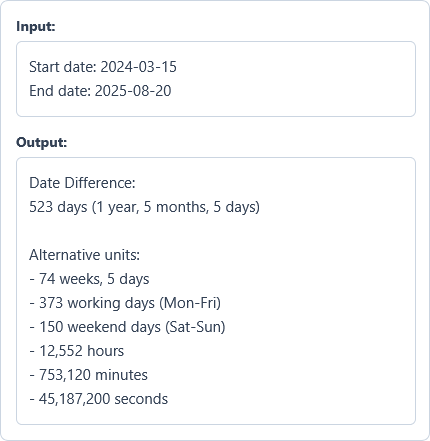
Example Input
Start date: 2024-03-15
End date: 2025-08-20
Options used: Include end day: OFF
Example Output
Date Difference:
523 days (1 year, 5 months, 5 days)

Alternative units:
- 74 weeks, 5 days
- 373 working days (Mon-Fri)
- 150 weekend days (Sat-Sun)
- 12,552 hours
- 753,120 minutes
- 45,187,200 seconds
Between March 15, 2024, and August 20, 2025, the tool calculates an exact span of 523 calendar days, equivalent to 373 full working days.
Frequently Asked Questions
How does a leap year affect the number of days between two dates?
Any date range that crosses February 29 in a leap year automatically includes that extra 366th day in the total count. The tool follows the standard Gregorian rule: years divisible by 4 are leap years, except century years (like 1900) unless they are also divisible by 400 (like 2000).
How are working days and weekend days counted between two dates?
Total days include every calendar day in the range, while working days count only Monday through Friday and weekend days count Saturday and Sunday. The tool does not subtract national or regional public holidays, since holiday schedules vary by country.
When should I check the "Include end day" option?
Check "Include end day" whenever you need to count both the start date and the end date as full days. For example, a hotel stay from Friday to Saturday is 1 night (standard difference), whereas a two-day event running Friday through Saturday covers 2 full calendar days.
Can I calculate dates in the past or far future?
Yes. You can measure the exact span between any two valid calendar dates across multiple centuries. This makes it easy to check historical timelines as well as long-term contracts, bond maturities, or project schedules.
What happens if the start date is after the end date?
The calculator automatically finds the positive duration between the two dates and shows a clear note above the result when the start date comes after the end date. You can also click the swap button (⇄) to flip both dates with one click.
Is my date calculation stored on any server?
No. Every calculation runs directly in your browser, so your selected dates and results stay on your device and are never sent to any server.